.png)
.png)
.png)
.png)
.svg)
.svg)
.svg)
.svg)



FNB Alerts
Stay in control with real-time updates sent straight to your phone, email, or app. With FNB Alerts, you’ll always know what’s happening with your money—helping you manage your accounts and spot suspicious activity fast.

Introducing FNB Alerts.
Financial control in real-time.
When it happens, you know. Talk about a feeling of security!
FNB Alerts can let you know the moment something important happens in your account. Messages you choose to receive are sent instantly via email, text*, or push notifications to your smartphone with our Mobile Banking app.
With FNB Alerts you’ll always know exactly what’s happening with your money, and you can watch for suspicious activity. It’s a free service for our customers.
Choose from dozens of FNB Alerts.
Monitor your account activity such as:
A purchase using your debit card was just processed.
You instantly know.
An ATM withdrawal is made.
You instantly know.

A check clears that exceeds the amount you set.
You instantly know.
Delivered the way you want.
Messages are sent instantly using any of the delivery channels you choose:
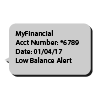
Text Messages
One of the easiest ways to receive FNB Alerts is through text messages on your smartphone*, or wearable devices.

Receive email messages about your account activity.
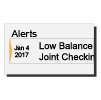
Online Banking Message Center
View your FNB Alerts every time you log on to Online Banking.

Push Notifications
Receive notifications via your smartphone with our TouchBanking App.
*Message and data rates may apply.
Set up your real time FNB Alerts

Log on to Online Banking. Select Alerts.

Click each Category in Alert Options to view the list of available alerts.

Select the Alerts you want to receive for each account. Then check how you would like to receive them, and Save.
You’ll now receive a message the moment any of your alerts are triggered. It’s that simple.
With FNB Alerts you’ll always know exactly what’s happening with your money, and you can watch for suspicious activity.
We invite you to set up your FNB Alerts today.
FAQs
You can set up alerts from Online Banking. You can also choose to receive push notification alerts, which are set up from our Mobile Banking app.
No. This is a free service. However, text message and data fees may be charged by your service provider to receive text alerts.
Yes. When setting up alerts, in the Contact Options tab there is a link to add additional email addresses and phone numbers.
Yes. Each alert you choose has a “do not disturb” option. Any alerts generated during that time period will be held until that period ends
From the Alert screen, click the Overview tab to view all of your alerts. Click to Edit or Delete any existing alert.
Absolutely. We recommend that all customers set-up FNB Alerts to monitor account activity. When you activate FNB Alerts you’ll know exactly what’s happening with your money, and you can watch for suspicious activity in real-time.
Simple. Just log into Online Banking and select Alerts. You can choose the alerts you wish to receive from the Alert Options tab.
When setting up alerts from the Contact Options tab, just click “send activation code”. Type the code you receive into the activation box.
Yes. Log on to Online Banking and go to the Sent Alerts screen. It displays a list of your alerts with the details. You can mark as read or delete past alerts from here. You can also view past alerts from our Mobile Banking app.
A: Yes. To set up push notifications through our Mobile Banking app, just log on, select More from the main menu, then Alerts. Turn on Push Notifications. Once turned on, you can set up account alerts, security alerts, and view your recent history of alerts sent.
Why First National Bank?
.svg)
Local Commitment
We’re proud to serve our neighbors with personalized service, fast decisions, and deep community roots.
.svg)
Trusted Relationships
Generations of families have trusted us for reliable guidance and long-term financial support.
.svg)
Personalized Solutions
We tailor our services to fit your needs—whether you're banking in person or online.
.png)
Think Local. Think Excellence.
.png)
.jpg)